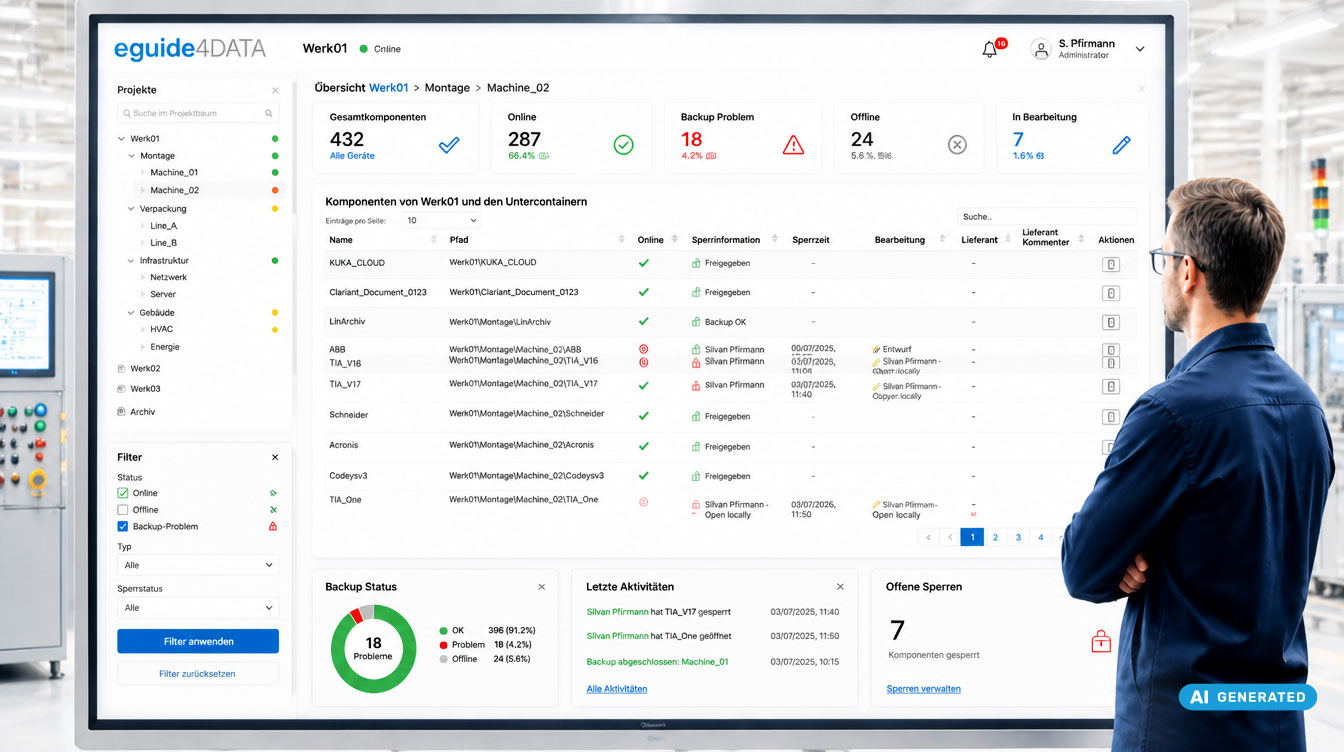
Your OT backup is running. But does it also work when it really matters? Find out why restore tests and OT backup records are relevant in the context of cyber insurance, and how eguide4DATA creates transparency over backups, versions and changes.
Having a backup does not automatically mean it can be restored
An existing backup does not yet tell you whether data and systems can actually be restored in an emergency. As part of a cyber insurance risk assessment, existing backup policies, their practical implementation and recoverability can therefore all play a role.
Which details are required depends on the insurer, the insured risk and the agreed terms. Typical questions about backup and recovery can include:
- When was the system in question last backed up?
- How often are critical systems backed up?
- How are backup copies protected?
- Has a restore already been tested?
- When did the last restore test take place?
- Was the result documented?
What matters is not only that a backup exists. In an emergency, it must also make a recovery possible.
Policy, evidence and restore test: What is the difference?
A backup policy describes how data backups are planned and carried out. However, it does not automatically prove that backups were actually performed, are up to date and can be restored successfully. For a verifiable assessment, information about actual implementation is therefore also relevant.
| What it does | |
|---|---|
| Policy | Describes the intended backup process. |
| Evidence | Documents the actual implementation. |
| Restore test | Checks whether a restore actually works. |
Structured documentation of OT backup records creates transparency over backup status, backup times, version states and existing histories. The article Automatically generate OT backup records instead of maintaining Excel spreadsheets explains what this looks like in practice, including status information, timestamps and histories.
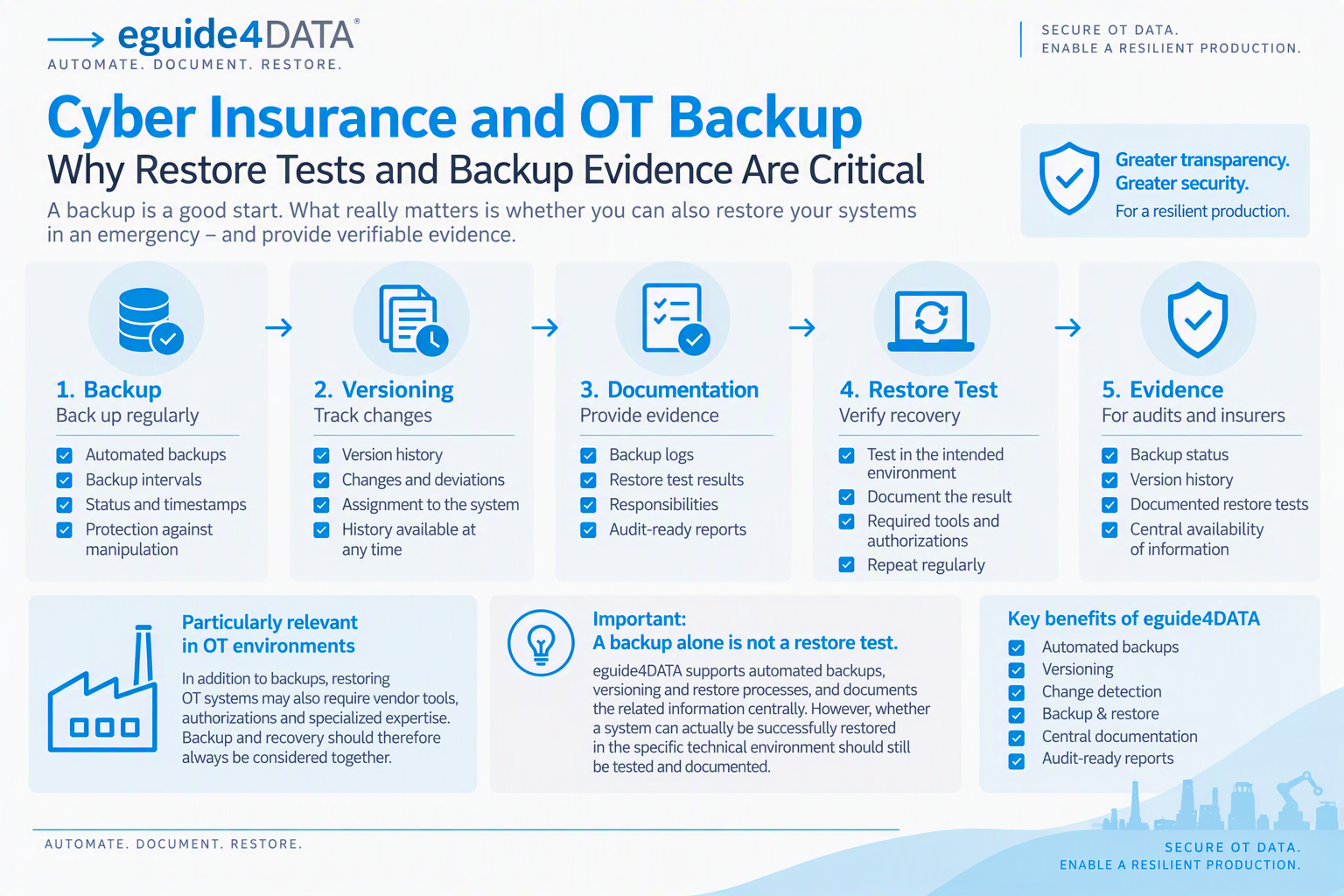
What is a restore test?
A restore test checks whether data or systems can actually be restored from an existing backup. It is not only about whether a backup file exists. What matters is whether the required state can be restored under the intended conditions.
Traceable documentation should record, for example:
- which system or backup was tested,
- when the test was carried out,
- who was responsible,
- how the restore proceeded,
- what result was achieved and
- whether deviations or follow-up actions were identified.
Why are restore tests particularly important in OT environments?
When restoring OT systems, factors beyond the backed-up state can play a role, for example suitable vendor tools, required permissions and the right expertise. The question “Do we have a backup?” becomes the far more important question: “Can we actually return our plant to a defined state with this backup?”
Backup and recovery should therefore be considered together. Why this also matters for tracing changes is explained in the article Versioning in OT.
Which information should be traceable?
For structured OT backup documentation, the most relevant information is what makes the backup state and its history traceable.
Backup
- Time and status of backups
- Backup intervals per plant or system
- Available backup states
Versions and changes
- Version histories
- Documented changes and deviations
- Assignment to the respective system
Recovery and evidence
- Results of documented restore tests
- Defined responsibilities
- Traceably stored logs
Important: An existing backup and a successfully tested restore are not the same thing.
We describe in more detail how information about backups can be provided in a more structured way in the article Automatically generate OT backup records instead of maintaining Excel spreadsheets. It explains how eguide4DATA provides status information, timestamps and histories as well as information about successful backups and version states.
How eguide4DATA supports OT backup and versioning
eguide4DATA is a modular platform for versioning, backup and analysis of PLC, robot and automation data. The functions listed on the product page include automated backups, versioning, deviation detection and backup & restore. This lets you trace information about backups and version states centrally, including:
- automated backups,
- available version states,
- changes and deviations and
- status information on backups and comparisons.
The eguide4DATA FAQ also describes logging of workflows, backups and actions as well as a backup history with comparison options. Important information on backup status and version states is therefore available in a structured way and can be used, for example, for internal reviews and audits. The page on OT backup records explicitly names management, audits and internal reviews as use cases. The article Versioning, Revision and Backup: The Differences in eguide4DATA Explained explains the difference between version, revision and backup.
Important: A backup alone is not yet evidence of a successful restore test. eguide4DATA supports automated backups, versioning and restore processes. The product page lists “Backup & Restore” explicitly as a module area, and the FAQ describes a restore process with version selection, restore, comparison and documentation. You can find more information on backup, versioning, security and operations in the eguide4DATA FAQ on backup, versioning and OT.
Whether and to what extent existing information or evidence meets the requirements of a specific cyber insurance policy depends on the insurer and the agreed terms.
When a cyberattack hits production
After a cyberattack, it becomes especially clear how important up-to-date and clearly assignable backup states can be for recovery. If suitable backups are missing or existing backups cannot be clearly assigned to a system, recovery can become even harder. The German BSI also names backups and incident preparation as important short-term measures in its ransomware catalogue of measures (in German).
For manufacturing companies, the key question is therefore not only: “How do we protect our production from an attack?” It is also: “How well prepared are we for restart?”
Read more about the interplay of OT backup and restart in the article Ransomware hits production: What happens when OT devices are no longer operational? It covers, among other things, backups of automation components and the role of a current, verified state during restart. For how to prepare organizationally for an emergency, see the OT Incident Response Plan, and for the basics of OT disaster recovery, see the article of the same name.
Practical example: When the insurer requests evidence
An industrial company has to show, as part of a risk assessment, how production systems are backed up and what information on recovery is available. With decentralized documentation, backup logs, version states and other information may have to be gathered from different sources. With centrally documented backup processes, information on backups as well as version and change histories can instead be available in a structured way.
The result: Existing backup information can be compiled more clearly and prepared more specifically for a request. Which information an insurer accepts or additionally requires in a specific case depends on its requirements and the respective insurance terms.
Conclusion: Having a backup does not automatically mean it can be restored
For cyber insurance, it can matter not only whether a backup process has been defined. It can also matter how traceably this process is implemented and what information on recovery is available. Especially in OT environments, several building blocks should therefore be considered together: backup, versioning, documentation, restore test and evidence.
Traceable backup and version information as well as specifically tested recovery processes provide a better starting point for an emergency. eguide4DATA supports companies with automated backups, versioning, central documentation and backup & restore functions.
Can you prove your OT backups at a moment’s notice today?
Do you know when your critical OT systems were last backed up and which version state is available? Get to know eguide4DATA for OT backup and versioning.
FAQ – Frequently asked questions about cyber insurance, backup and restore tests
Is a written backup policy enough for cyber insurance?
This cannot be answered in general terms. The requirements and terms of the respective insurer are decisive. A policy describes the intended process, but does not automatically document its actual implementation or a successful restore.
What is restore test evidence?
Restore test evidence documents a restore that was carried out from a backup. It should make clear which system was tested, when the test took place, who performed it and what result was achieved.
Are OT systems also considered in cyber insurance?
That depends on the insured company, the risk assessment and the scope of the policy. Companies with production-critical OT systems should therefore check which information their insurer specifically needs on backup and recovery.
Does a documented backup replace a restore test?
No. A backup log documents the backup process. A restore test, by contrast, checks whether a backed-up state can actually be restored.
Does good backup documentation guarantee lower insurance premiums?
No. Premiums, deductibles and insurance terms are set individually. Traceable documentation can, however, help present existing backup processes in a structured way.